Mobile · AI tour guide · Navigation
iSee
Navigation apps tell you where to turn. Tour guides tell you where you are. iSee is both: full turn-by-turn navigation with an AI voice riding along — it can describe any place on demand, and when you let it, it speaks up on its own as you pass somewhere worth knowing about.
- iOS
- Mapbox
- AI narration
- Voice
- Turn-by-turn
- Role
- Design & engineering
- Platform
- iOS
- Maps
- Mapbox · OpenStreetMap data
- Status
- Working build
Overview
A guide, not just a route.
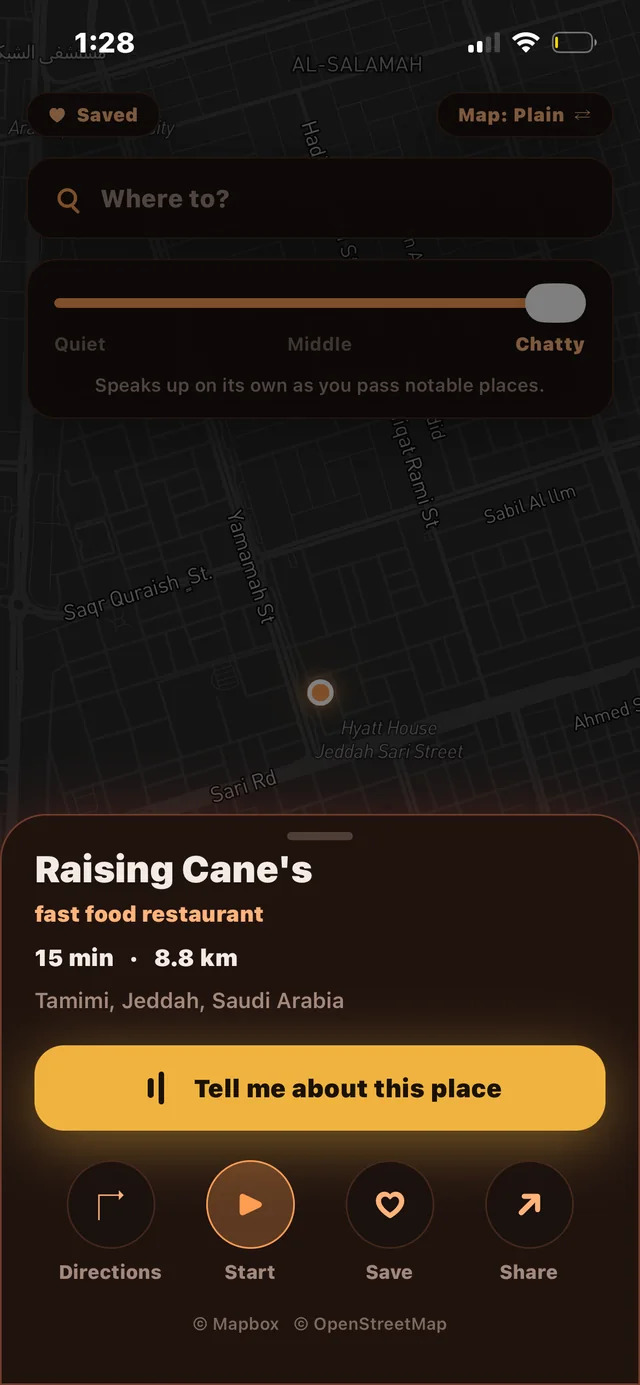
The core idea is a single slider: Quiet — Middle — Chatty. At Quiet, iSee is a clean navigation app. At Chatty, it becomes a companion that notices what you're driving past and talks about it unprompted — a landmark, a neighborhood, a place with a story. The amount of personality is a control you hold, not a setting buried three menus deep.
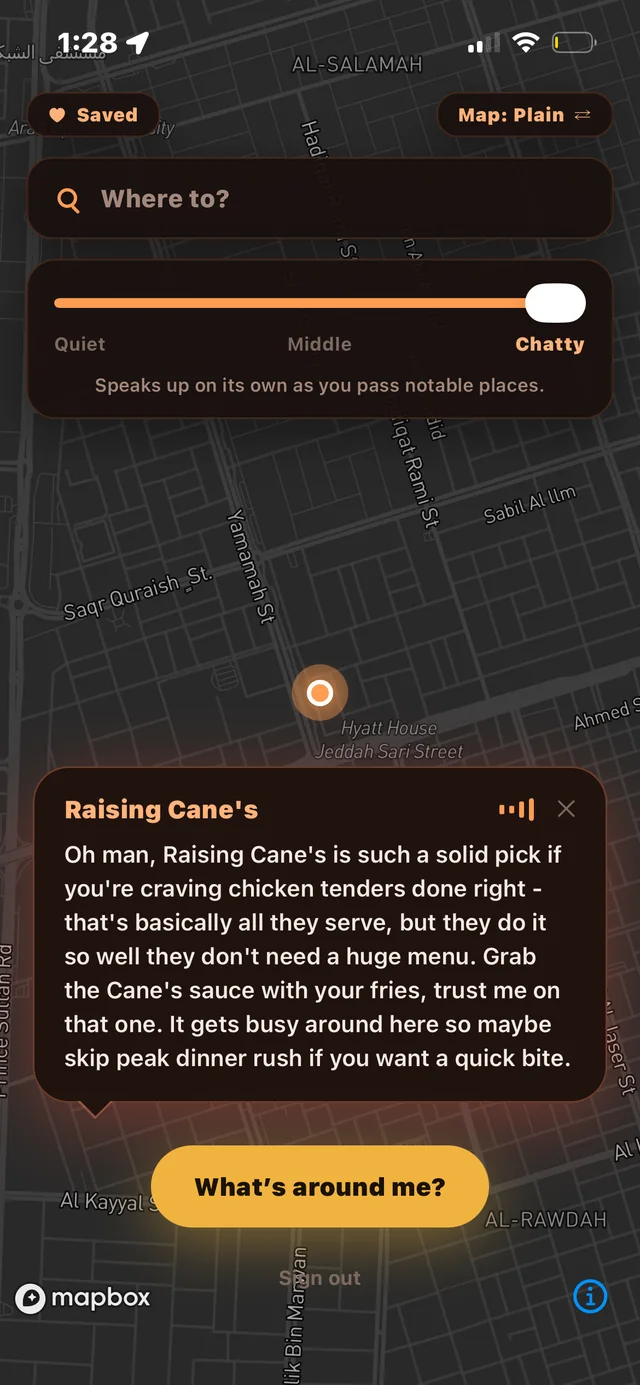
Tap any place and a card gives you the essentials — category, drive time, distance, address — with one oversized action: "Tell me about this place." The guide answers in plain speech, like a friend in the passenger seat: what it is, what it's known for, what to order, when to skip the rush.
The build
What's in it.
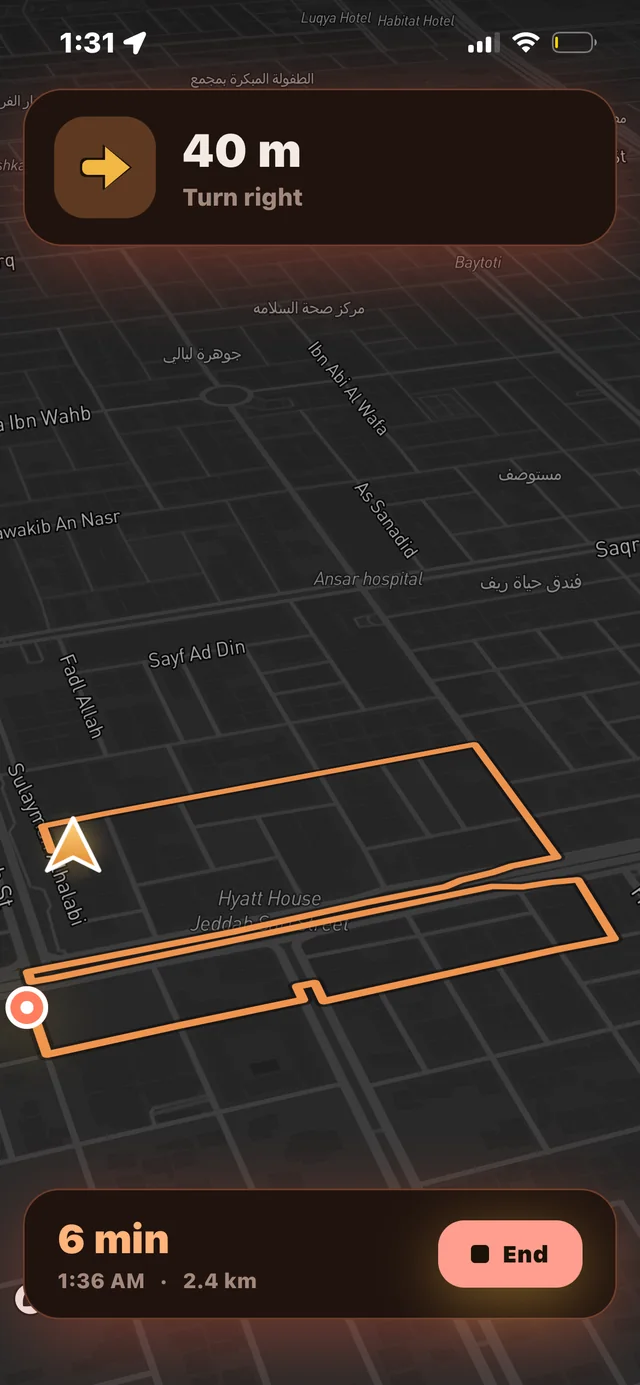
- Real turn-by-turn navigation — live route line, maneuver banner with distance countdown, ETA, arrival time, and trip distance, on a tilted night-drive map.
- AI place narration, two ways: on demand from any place card, and proactively — the guide speaks up on its own as you pass notable places, gated by the chattiness slider.
- Discovery and utility around the core: "What's around me?", destination search, saved places, share, directions hand-off, and a map style toggle.
- A deliberate visual identity — warm amber on near-black, built for a phone mounted in a dark car rather than a phone held in daylight.
Design
Decisions that shape it.
Engineering highlight
Chattiness as a physical control
Most AI products bury verbosity in a settings page or a prompt. iSee makes it the first thing on the home screen — a slider with three honest positions and a one-line explanation of what each means. It reframes the AI from a feature into a passenger whose volume you set, and it makes the difference between "useful tool" and "annoying gimmick" the user's choice rather than the developer's guess.
Engineering highlight
Speech-first answers
The narration is written for the ear, not the eye — short sentences, a recommendation, a practical tip — because in a moving car, nobody reads a paragraph. The text bubble exists as a transcript of what the voice said, not the other way around.
Status
Where it stands.
The screens here are from a working build running on device with live GPS — search, place cards, spoken narration, proactive commentary, and full turn-by-turn are all functional. A deeper technical write-up lands here next.
Next case study
QR Menu Platform